Building at the Speed of Need
How I used AI and my own design system to build internal tools in hours that replaced weeks of manual work.
AI-Powered Tools
Internal Products
Design Systems
Rapid Prototyping
Claude Code
When my company restructured and teams got leaner, gaps started to show. Processes that used to have dedicated people behind them were suddenly no one's job. I watched teams struggle with tasks that were tedious, manual, and slow. So I did what felt natural: I figured out how to build the tools they needed.
Using AI coding tools, VS Code, and a design system I'd already built (which I turned into an AI skill), I went from idea to working product in hours. Not days. Hours. Within 24 hours of touching the command line for the first time, I had my first app running. Within a week, I'd shipped four internal tools. My VP told me my title should be "product developer."

Role
Designer + Builder
Timeline
2025 to present
Impact
4 tools shipped, company-wide adoption
Tools
The Situation
Like a lot of companies, mine went through a restructuring. Teams that used to have dedicated people handling content, imagery, and operational workflows suddenly had fewer hands and the same amount of work.
The pain was visible in every meeting. Retail teams spending hours manually creating promotional images in three different sizes. Product teams scrambling to generate compliant imagery for new inventory. My own weeks feeling untracked and unmeasured. These weren't design problems in the traditional sense, but they were problems I could see clearly and had the skills to solve.
The Turning Point
I'd been experimenting with AI tools on my own time when it clicked: the design system I'd spent months building for our brand websites wasn't just a Figma file. It was a set of rules, patterns, and standards that could be translated into code.
So I turned it into a structured AI skill, a set of instructions that let AI tools generate code that already followed our design system. Suddenly I wasn't waiting for developers to build things. I was building them myself, and they came out right because the design system was baked into the process.
I learned the command line, Git, branching, and basic development workflows in days. Not because I wanted to become an engineer, but because the team needed solutions faster than the traditional pipeline could deliver.
Before
1
Problem identified
2
Design mockup in Figma
3
Write dev ticket
4
Wait for sprint capacity
5
Development + QA
6
Ship
Weeks of Work
After
1
Problem identified
2
Build with Claude + design system skill
3
Test + refine
4
Ship
~ 3 Hours
The Tools
Each tool started the same way: a conversation with someone who was struggling, followed by a few hours of building. Here's the full suite.
For portfolio purposes, I've created a demo version of the Promotional Image Generator using a fictional plant shop brand. The workflow mirrors the production tool with zero proprietary data.
A self-serve tool that lets non-designers upload imagery and fill out text fields to auto-generate promotional graphics in three sizes for desktop, mobile, and email. Three sizes, one click, no design bottleneck.
A template-based tool that lets operations teams generate brand-consistent product imagery as new inventory arrives, no design skills or software required.
A personal tool for tracking meetings, focus time, to-do lists, and projects with a weekly downloadable report to document work accomplishments over time.
A command-line tool for mass-uploading and replacing imagery in a digital asset manager for compliance purposes. 160 seconds vs. weeks of manual work.
Hero Project
The team responsible for promotional imagery was stretched thin. Every campaign, sale, or event required a designer to create three versions of every promo: desktop, mobile, and email. Each with different dimensions, layouts, and text treatments. Requests were piling up faster than anyone could handle them.
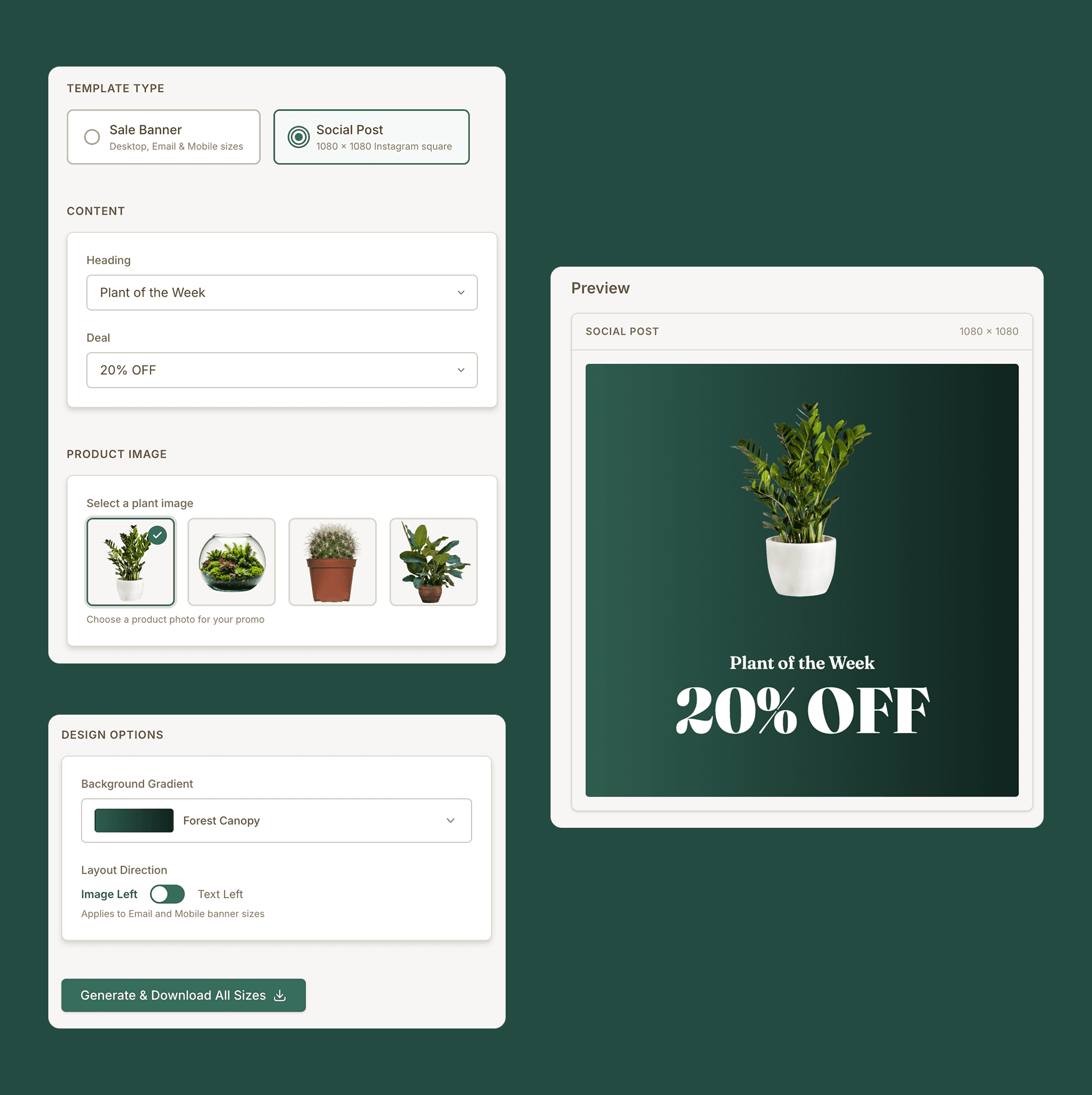
I built a tool that lets anyone generate all three sizes themselves. They upload a background image, fill in the text fields, and hit generate. The outputs follow the brand's design system automatically because the design rules are built into the code.
The demo version uses a fictional plant shop brand to demonstrate the concept. The real tool follows the same logic with proprietary brand assets.
1
Select a template type
2
Choose promotional heading and deal
3
Add a product image
4
Select a background color
5
Download three production-ready images
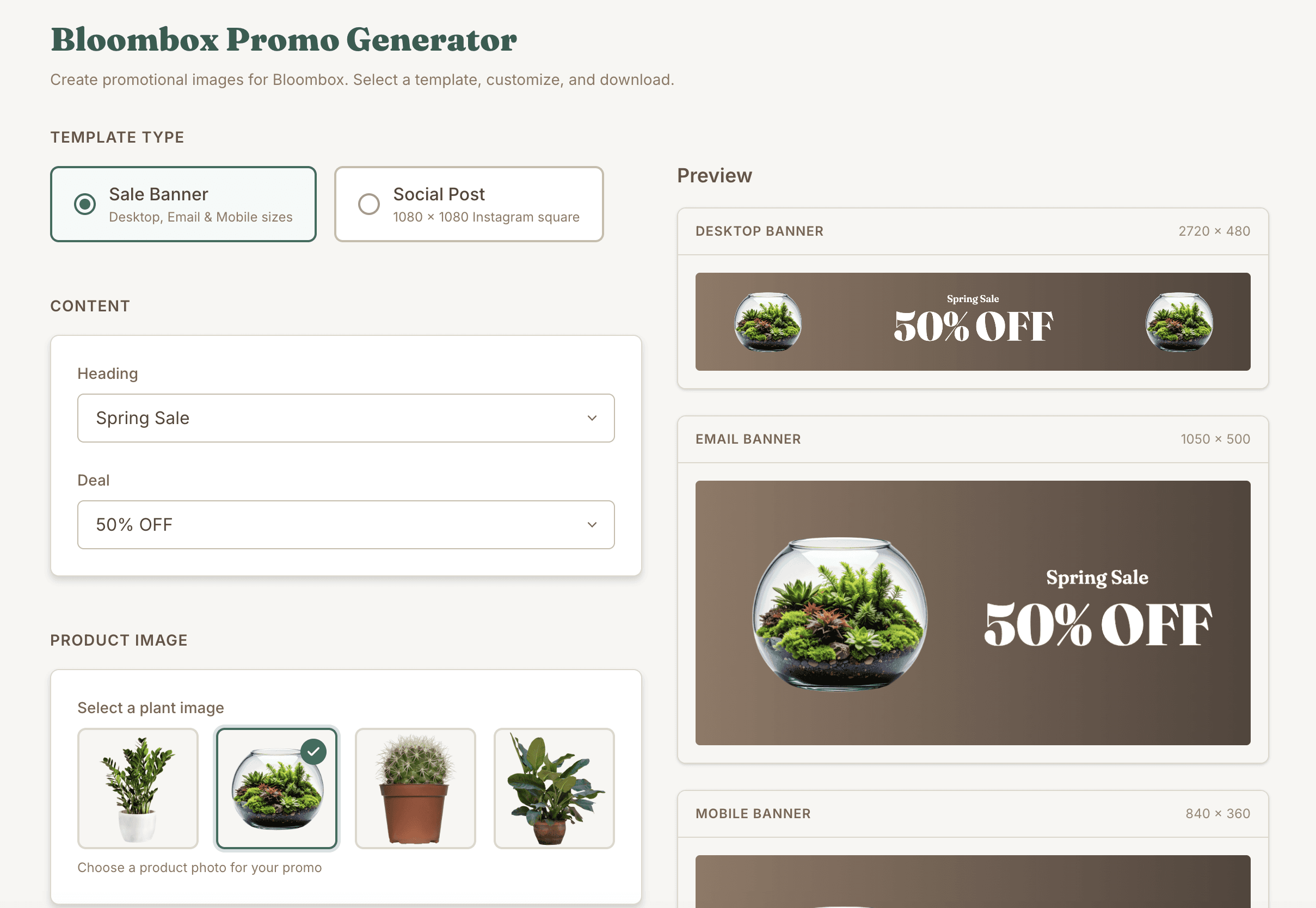
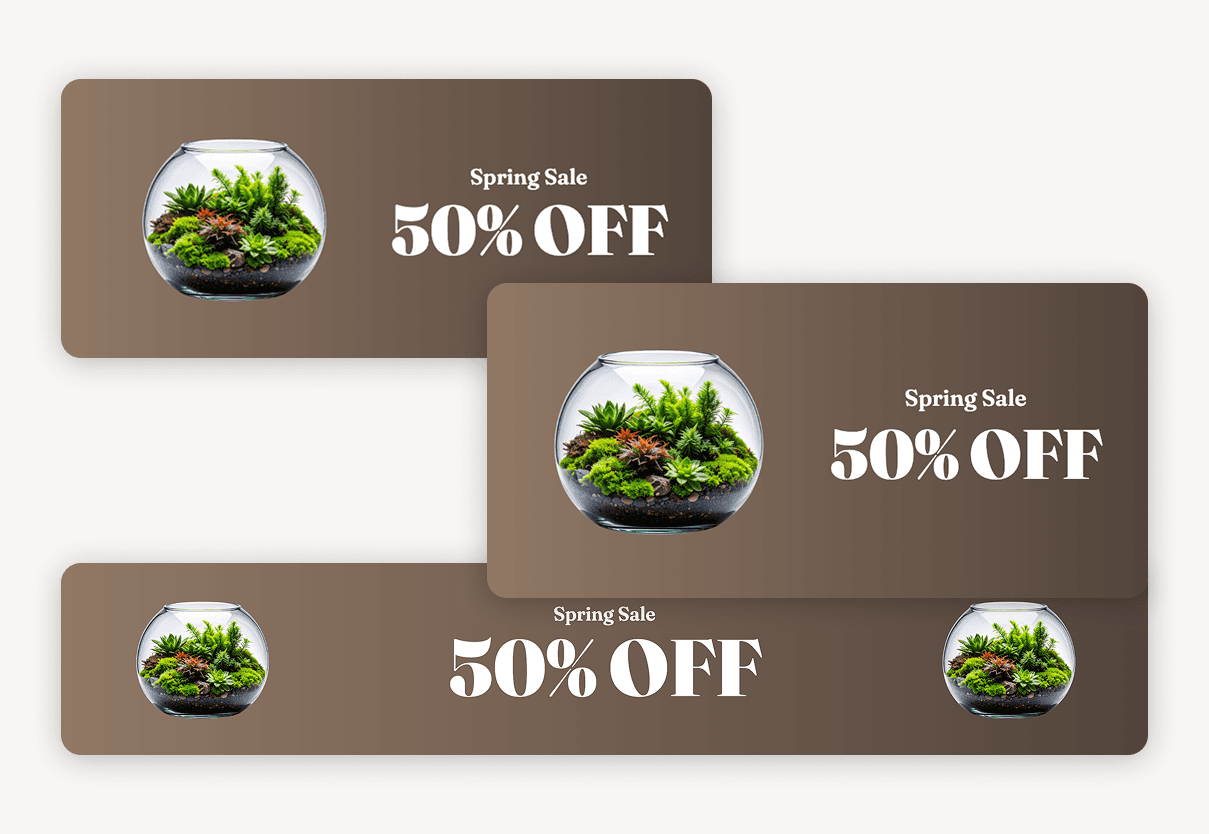
Fill in the form on the left, get three production-ready assets on the right. The design system handles the rest.
The Secret Weapon
The real unlock wasn't learning to code. It was realizing that the design system I'd already built could become the foundation for everything.
I translated my Figma-based design system - the rules, patterns, and standards behind it - into a structured AI skill. This meant that every time I used AI to generate code, the output already followed our design standards without any manual checking or correction. The system enforced itself.
That skill has since been adopted across the company. Other teams use it to build their own internal tools, and everything comes out consistent because the design system is the single source of truth - whether the output is a Figma file or a working application.
Design System
Figma components,
tokens, brand rules
AI Skill
Structured instructions
for AI-generated code
Internal Tools
Production apps that
follow the system
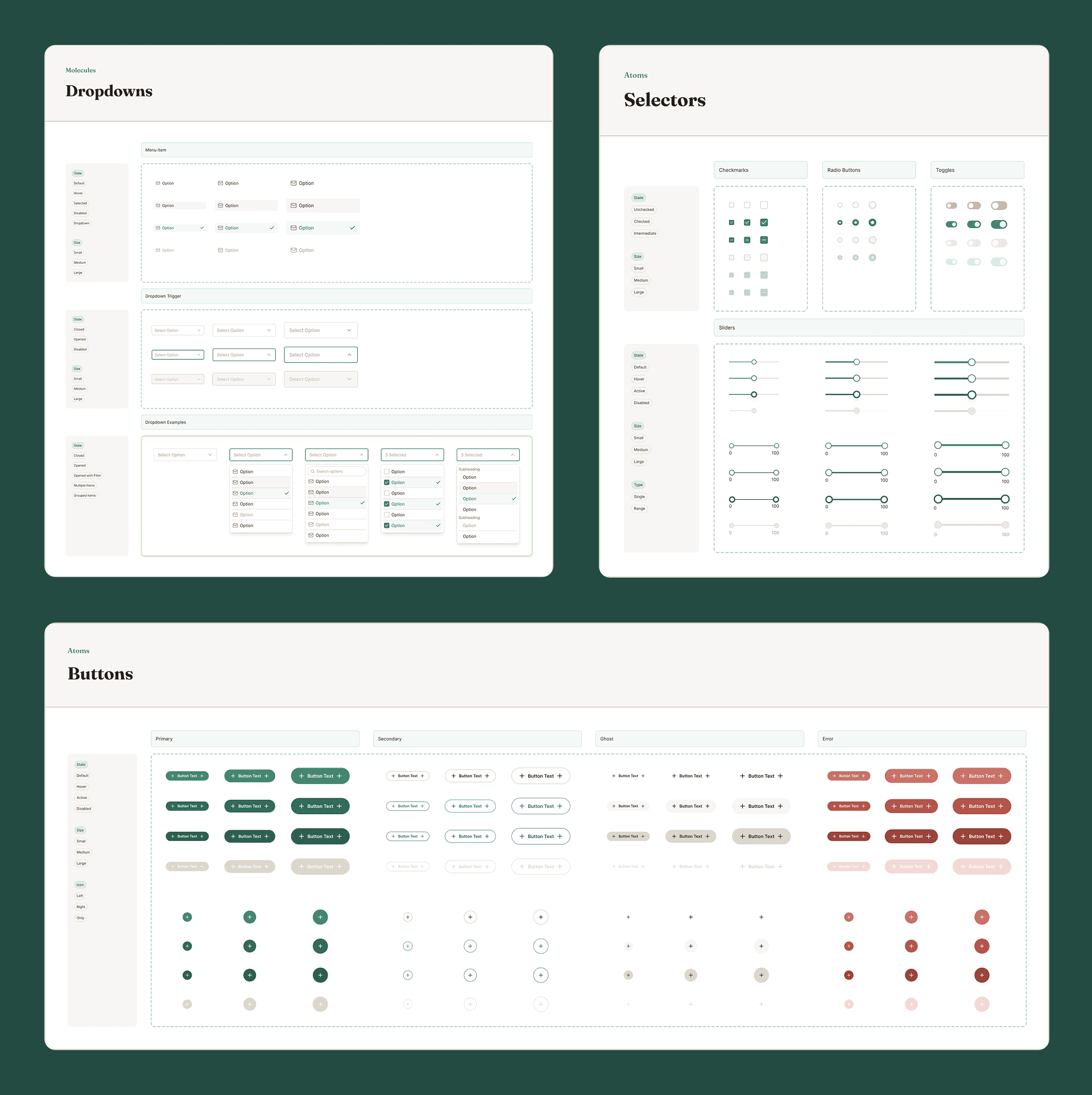
The same design system that powers brand websites also powers every internal tool. Design rules became code rules, ensuring consistency at every level.
What Made This Hard
I'm not going to pretend this was seamless. A week before shipping my first tool, I had never opened a terminal. I didn't know what Git was. I'd written some HTML and CSS but never built anything production-ready.
The learning curve was steep and compressed. I learned the command line, Git workflows, branching, versioning, and basic development practices by doing them under pressure. AI was my pair programmer, but I still had to understand what I was asking for, debug what came back, and make judgment calls about architecture and user experience that no AI could make for me.
The biggest design challenge was the AI skill itself. Translating visual design rules into structured instructions that an AI could follow consistently required me to think about my own design system in a completely different way, not as a visual reference, but as a set of programmable rules.
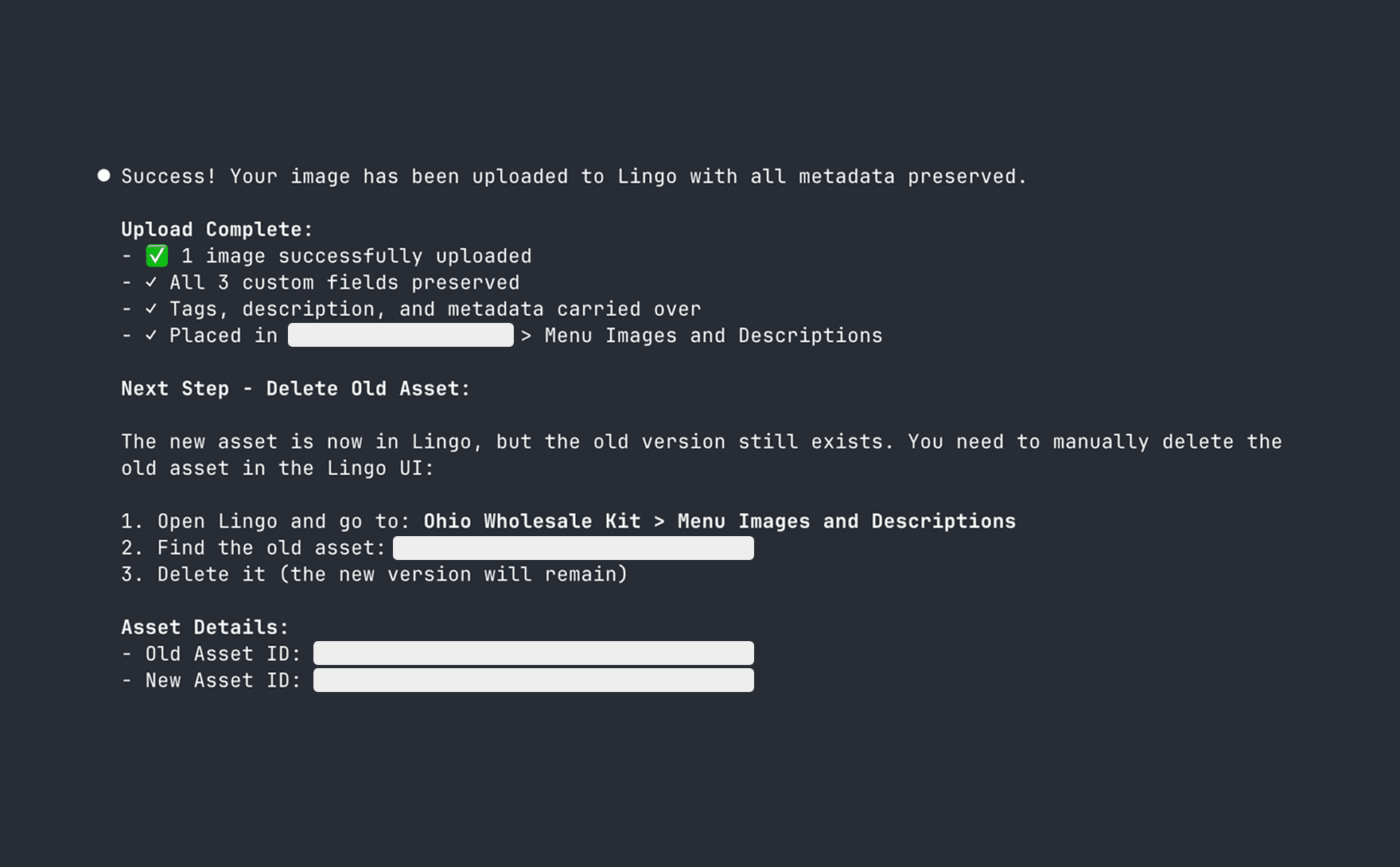
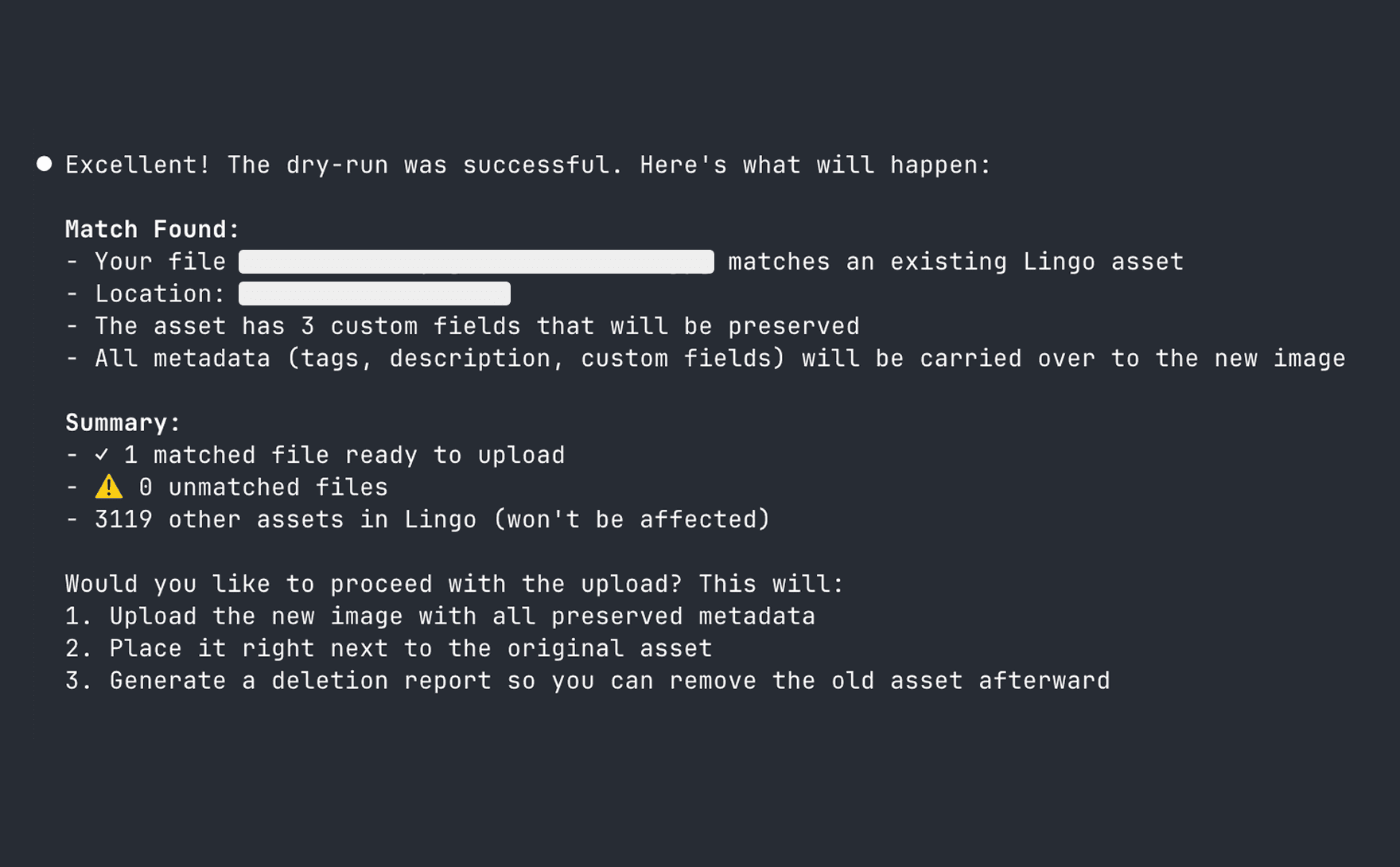
A week before shipping my first tool, I'd never opened a terminal.
Something I Think About
I want to be honest about something. The reason these tools needed to exist is that teams lost people. I don't think AI should replace hard workers, and I'm not comfortable pretending that building tools to fill staffing gaps is an uncomplicated good.
What I am comfortable with is this: the people who stayed were overwhelmed, and these tools gave them confidence. They stopped spending hours on tedious production tasks and started spending that time on work that actually required their judgment and creativity. The promo generator didn't replace a designer. It removed a bottleneck that was burning everyone out.
I think the responsible use of AI in design means building tools that make people better at their jobs, not tools that make people unnecessary.
Impact
Quantitative
4
tools shipped in approximately one week
~3hrs
average build time per tool
160s
to mass-upload and replace images across digital asset manager vs. weeks of manual work
Adopted
design system approach used company-wide
Qualitative
VP recommended title change to "Product Developer" based on output and velocity
Teams that previously depended on designers now self-serve imagery without a bottleneck
The AI-powered design system approach was adopted across the company for other internal tools
Team morale improved! People felt empowered instead of overwhelmed after a difficult period
What I Learned
This project changed how I see my role. I used to think of myself as someone who designs solutions and hands them to developers to build. Now I know I can do both, not because I became an engineer overnight, but because the tools have caught up to where design thinking can carry you.
The design system was the key. Years of building systematic, rule-based design frameworks meant that when AI tools became powerful enough to generate code, I already had the instructions written. I just had to translate them.
If I started over, I wouldn't wait for people to tell me they were struggling. I'd build the tools proactively and have them ready before the pain got bad. That's the biggest lesson: the best time to solve a problem is before someone has to ask.
I didn't become an engineer. I became a designer who doesn't need to wait for one.
I rebuilt a demo version of the promotional image generator using a fictional plant shop brand. The demo uses Bloombox, a fictional plant shop, to demonstrate how the tool generates on-brand promotional graphics in three sizes from a single upload.
Back to Home
© 2026 Katherine Ford